Does a second monitor lower fps? (Tested & Explained)
\u26a1 Quick answer
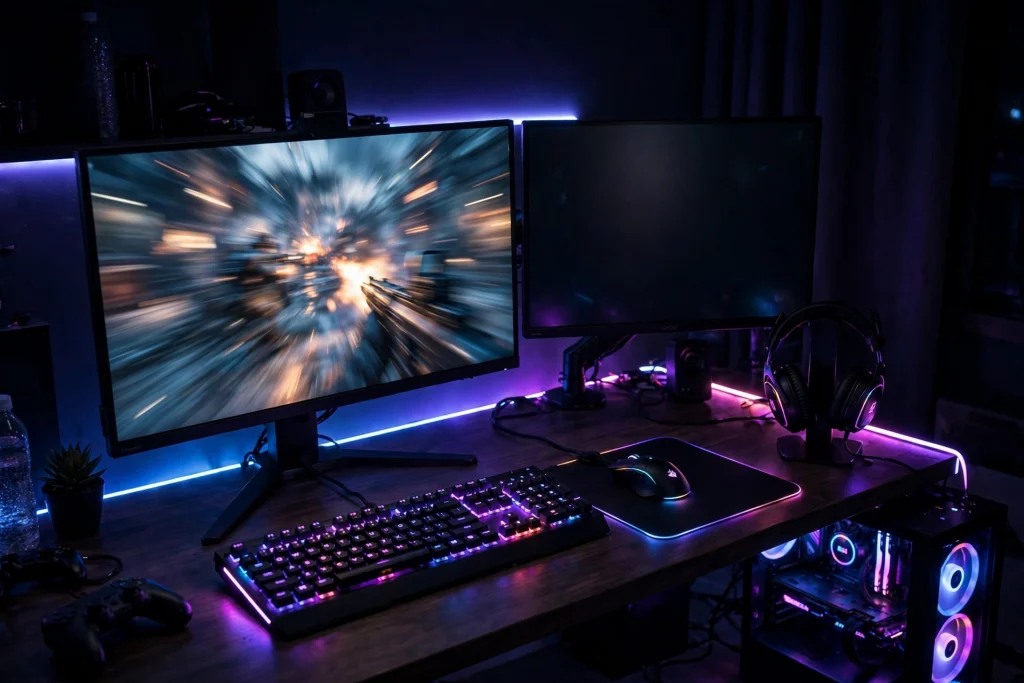
No — a second monitor by itself does not meaningfully lower your FPS. If the second screen is just showing a static desktop, a chat window, or a guide, the cost is typically tiny and often within normal run-to-run variation. Your FPS drops when that second screen is doing real work: playing video, running animated overlays, or showing another moving 3D scene. In short, it is what is on the second monitor that matters, not the monitor itself.
Below is the evidence behind it, why it works this way, and the exact settings to use for a dual-monitor setup without giving up performance.
The evidence: tests, data and what they actually show
When people test this question, they usually compare three setups: one monitor, two monitors with a static second screen, and two monitors with something active on the second screen. The pattern that shows up in reported testing is consistent:
- One monitor vs. two monitors, second screen static: the difference is typically negligible — often described as little to no measurable change in average FPS.
- Two monitors, video or a stream playing on the second screen: a small drop is commonly reported, because the GPU now has to decode and display moving content at the same time as rendering your game.
- Two monitors, animated overlays, browsers with many tabs, or a second game/app rendering in 3D: the drop can become noticeable, and frame times can get less consistent even when average FPS still looks fine.
That last point matters. Average FPS can hide stutter: if frame times spike while a video plays beside your game, the game feels worse than the FPS counter suggests.
| Second screen content | Typical FPS effect | Frame-time effect |
|---|---|---|
| Blank desktop or static text/chat | Negligible | Usually none |
| Static guide, map, or notes page | Negligible to very small | Usually none |
| Video or stream playing | Small drop reported | Occasional spikes possible |
| Discord/animated overlays active | Small drop reported | Spikes more likely |
| Another 3D app or game rendering | Larger drop reported | Noticeably less consistent |
Treat these as typical, reported behaviour, not a guarantee for your PC. Your GPU, resolution, and refresh rates will shift the result — but the ranking is the reliable part: static content is nearly free, moving content costs something, and a second 3D workload costs the most.
Also keep expectations realistic: server architecture caps how much client tweaks can help. Valorant’s official servers run 128-tick, while CS2 uses a sub-tick system. No monitor setting changes that.
Why it works this way (the mechanism, simply explained)
Your graphics card does not just render your game. It also has to output a picture to every connected display, on schedule, at each monitor’s refresh rate. A static desktop is cheap to output because almost nothing on it changes from one moment to the next. The GPU can keep that image ready with very little ongoing work.
The cost rises when the second screen keeps changing:
- Video decoding and playback. A YouTube video or stream is a constantly updating image. Decoding it and compositing it onto the screen uses GPU resources that would otherwise be fully available to your game.
- Browser and app rendering. Modern browsers use hardware acceleration, which means web pages, animations, and ads are drawn by the GPU too. A busy browser tab is a small but real workload.
- Overlays. Chat overlays, performance overlays, and animated widgets redraw frequently. This is closely related to the question in does discord overlay lower fps — any layer that keeps redrawing on top of, or beside, your game adds work.
- Mixed refresh rates. If your main monitor runs fast and your second monitor runs slower, Windows and the GPU have to juggle two different display schedules. With a static screen this is usually fine, but adding moving content on the slower screen is the combination most often linked to stutter in reports.
None of this means a second monitor is “using half your GPU” — a common myth. It adds a small side job, and that job only becomes a problem when it stops being small.
When it matters — and when it honestly does not
It honestly does not matter if:
- Your second screen shows Discord chat, a build guide, a map, or notes — mostly static content.
- You play games where you are comfortably above your monitor’s refresh rate, so a tiny cost changes nothing you can see.
- You play single-player or casual games where a frame or two either way is invisible.
It can matter if:
- You watch video or a stream on the second monitor while gaming. This is the most common real-world cause of the “second monitor lowered my FPS” complaint.
- You are playing a competitive shooter and your FPS sits close to your refresh rate, so any small drop or frame-time spike is something you can feel.
- Your GPU is already running at its limit in a demanding game. When there is no headroom left, even a small extra job competes directly with the game.
- You run several animated overlays, a live wallpaper, or multiple busy browser windows at once. Each one is small; together they add up.
The honest verdict: for most people, a second monitor is a great quality-of-life upgrade, and the FPS cost is a non-issue if you are sensible about what runs on it.
How to apply it: exact settings to use
Follow these steps to keep the benefits of a second monitor and remove most of the cost:
- Keep the second screen light during games. Pause videos and streams while you play, or at least avoid playing video on the second monitor during competitive matches. Keep static tools — chat, guides, music controls — instead.
- Turn off hardware acceleration in your browser if video stutters your game. This moves browser rendering off the GPU. Test it both ways, because on some systems the trade-off feels different; the right answer is the one that tests better on your PC.
- Close animated extras. Disable live wallpapers and unnecessary overlays while gaming. If you need Discord open for chat, keep the window itself but be cautious with overlay features — see does discord overlay lower fps for the full breakdown.
- Use the VRR FPS-cap recipe. If you have a variable refresh rate (VRR) monitor, use the universal recipe: cap your FPS about 3 FPS below your refresh rate. This keeps you inside the VRR window without V-Sync lag. For how caps interact with responsiveness, see does capping fps reduce input lag.
- Test Game Mode and fullscreen optimizations yourself. In 2026 Windows, the effects of fullscreen optimizations and Game Mode are small and system-dependent. Do not follow dogma either way — test each one on and off in the game you actually play and keep the setting that gives you steadier frame times.
- Check your network expectations separately. A second monitor does not cause lag, and display tweaks will not fix connection problems. If your issue is delay rather than FPS, that is a different problem — does a gaming router actually reduce lag covers what actually helps there.
A quick self-test: play your game alone for a few minutes and note your FPS, then open your usual second-screen apps and replay the same section. If performance dips, close items one at a time — you will usually find one moving or animated culprit, not the monitor itself.
FAQ
Does a second monitor use more GPU?
Slightly, yes — the GPU has to output an image to it. But a static screen uses very little. The usage only becomes meaningful when the second screen shows video, animations, overlays, or another 3D app.
Is it better to plug the second monitor into the motherboard instead of the GPU?
Usually not for gaming setups. It can shift the display work to integrated graphics on systems that have it, but it can also introduce its own quirks and limitations. For most people, running both monitors from the graphics card and keeping the second screen’s content light is the simpler, more reliable setup.
Why does my game stutter when a video plays on my second monitor?
Because the GPU is now decoding and displaying moving video at the same time as rendering your game, and the two displays may be running at different refresh rates. Average FPS may barely move while frame times spike, which is what you feel as stutter. Pausing the video during matches is the quickest fix.
Conclusion
A second monitor does not meaningfully lower FPS on its own. A static second screen — chat, guides, notes — costs almost nothing. What costs frames is moving content: video, streams, animated overlays, and busy GPU-accelerated apps. Keep the second screen light while you play, cap your FPS about 3 below your refresh rate if you use VRR, and test Windows gaming settings on your own system rather than trusting blanket advice. Do that, and you get all the convenience of two screens with effectively none of the downside.