Does a long ethernet cable increase ping? (Tested & Explained)
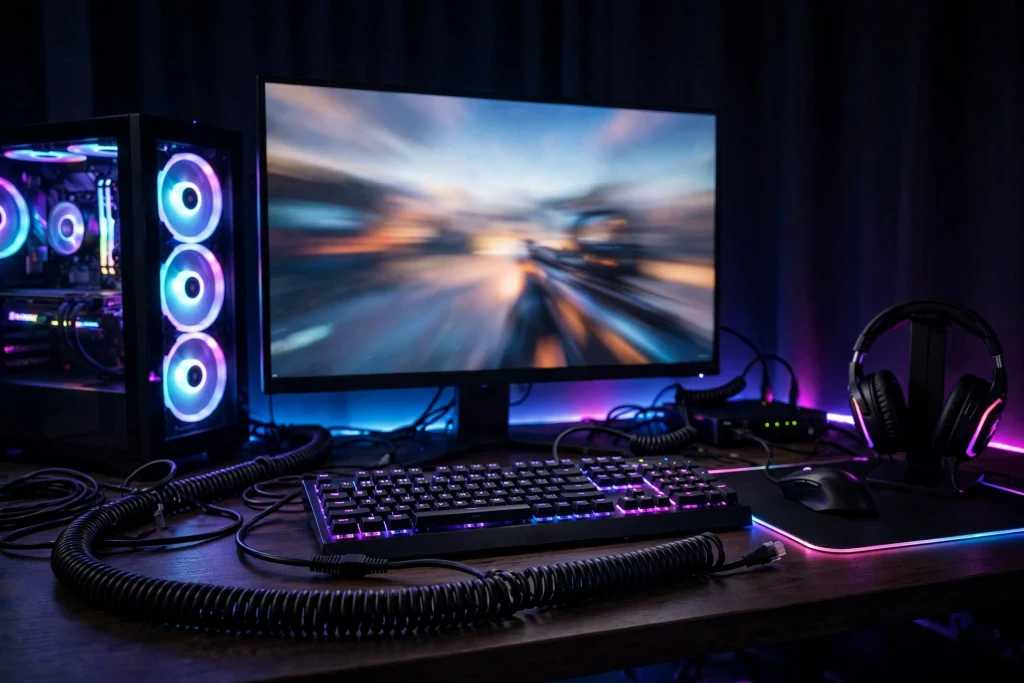
No — running a longer ethernet cable to your PC or console does not meaningfully increase ping. Within normal home distances, swapping a short cable for a much longer one typically changes latency by an amount so small it disappears inside normal measurement noise. What actually raises your ping is your internet connection, your distance to the game server, and whether you are on Wi-Fi. Cable length, within reason, is a non-issue — so run the long cable and stop worrying about it.
\u26a1 Quick answer
Here is the verdict in plain terms:
- A longer ethernet cable does not noticeably increase ping at any length you would realistically use in a house or apartment.
- The signal travel time over extra cable is tiny — far below what you could feel in a game, and usually below what a ping test can reliably measure.
- A long cable is still far better than Wi-Fi for gaming, because wired connections win on stability, not just raw speed.
- The real risks with a long run are physical: a damaged cable, a kinked cable, or a bad connector can cause packet loss and dropouts, which feel like lag even though the ping number looks fine.
So if your router is in the hallway and your PC is two rooms away, a long cable is not the compromise you might fear. It is the upgrade.
The evidence: what tests and data actually show
When people test short versus long ethernet cables back to back, the pattern is consistent: the ping results land in the same range, and the small differences that do appear bounce around from test to test rather than growing with cable length. The longer cable shows no steady, repeatable penalty. The variation you see is the normal jitter of the internet connection itself — your ISP, the route to the server, and how busy the network is at that moment.
Ping tests measure the whole journey: PC, cable, router, your ISP’s network, and across the internet to the game server — and back. The cable inside your home is the shortest, fastest leg of that entire trip, so doubling or tripling its length changes the total by a negligible fraction.
Where wired connections genuinely pull ahead is consistency. Ethernet beats Wi-Fi mainly on stability — fewer jitter spikes, fewer sudden ping jumps mid-fight — rather than on raw ping alone. A nearby Wi-Fi 6 router can post ping numbers close to ethernet in a quiet test, but a far one cannot, and even a good wireless link is exposed to interference, walls, and other devices in a way a cable simply is not. If you want to dig into that comparison, see does ethernet really lower ping vs wifi.
| Setup | Typical ping behaviour | Stability in games |
|---|---|---|
| Short ethernet cable | Baseline, lowest and most consistent | Excellent — flat, predictable |
| Long ethernet cable (normal home run) | Same range as short cable, within test noise | Excellent — same wired stability |
| Wi-Fi 6, router nearby | Close to ethernet in quiet conditions | Good, but occasional spikes |
| Wi-Fi, router far away or through walls | Higher and more variable | Poor — jitter and dropouts common |
The takeaway from the evidence: length is not the variable that matters. Connection type is.
Why it works this way
The mechanism is simple once you think about what ping measures: the round-trip time for a small packet of data to reach a server and return. Electrical signals travel through copper cable at a large fraction of the speed of light, so a few extra metres inside your home take an almost unmeasurably small amount of time. The delays that add up to your in-game ping — router processing, your ISP’s network, the distance to the server, and the server itself — are all far larger than anything the last stretch of cable contributes.
There is also a ceiling on how much any home tweak can help, set by the games themselves. Valorant’s official servers run at 128-tick, while CS2 uses a sub-tick system; in both cases, the server architecture caps how much client-side optimisation can change what you feel. Shaving a theoretical fraction of a millisecond off your cable run cannot make the game respond faster than the server allows. This is why chasing tiny local gains runs into diminishing returns so quickly, and why questions like does changing dns lower ping usually have modest answers too.
What a cable can do, unlike a radio link, is deliver your packets in a clean, steady stream — no competing signals, no retransmissions from interference, no signal strength falling off across rooms. That steadiness is the real product you are buying.
When it matters — and when it honestly does not
When cable length does not matter: any normal home setup. Bedroom to router, office to hallway, console under the TV to a switch in the corner — at these distances, buy the length you need, route it neatly, and forget about it. A tidy longer run beats a short cable stretched tight across a doorway every time.
When it can matter: the cable run itself is not the problem, but its condition can be. Watch for:
- Physical damage — a cable crushed under furniture, bent sharply, or chewed can develop faults that show up as packet loss and random disconnects.
- Bad terminations — loose connectors or poorly crimped plugs on self-made cables cause intermittent drops that look exactly like lag.
- Extremely long runs beyond home scale — ethernet standards do have maximum run lengths, but they sit far beyond anything a house requires; wiring a building is a networking project, not a gaming tweak.
Also be honest about what a cable cannot fix. If your ping is high because the game server is on another continent, or your ISP is congested at peak hours, no cable of any length will save you. And if you are wondering whether new hardware is the answer, it is worth reading does a gaming router actually reduce lag before spending money — the gains there are usually about stability and traffic management, not magic ping reductions.
How to apply it: exact settings to use
If you are running a long cable to game, set the rest of your system up to protect the advantage:
- Use the long cable without guilt. Measure the route, add a little slack, and buy that length. Slack is good — it prevents strain on the connectors.
- Check for packet loss, not just ping. In-game, watch for rubber-banding or hit-registration weirdness. Those point to a damaged cable or connector, not to length. Swap the cable if they appear.
- Cap your frame rate correctly with VRR. If you use a variable refresh rate monitor, cap your FPS about 3 below the refresh rate — for example around 117 on a 120 Hz screen or around 237 on a 240 Hz screen. This keeps you inside the VRR window without paying the input-lag cost of V-Sync, and it pairs with a stable wired connection to give you the most consistent frame delivery.
- Test properly before blaming the cable. Run ping tests at different times of day. If numbers swing wildly, that is your internet connection or the server — the cable is the one constant in the chain.
| Goal | Setting or action | Why it helps |
|---|---|---|
| Lowest stable ping | Wired connection, any sensible cable length | Removes Wi-Fi jitter and spikes |
| Smooth VRR gaming | FPS cap ~3 below refresh rate | Stays in the VRR window, avoids V-Sync lag |
| No mystery lag spikes | Inspect cable and connectors for damage | Faults cause packet loss, which feels like lag |
| Best server response | Pick the nearest server region in-game | Distance to server dominates your ping |
FAQ
Will a 30-metre cable give me worse ping than a 2-metre one?
In practice, no. Test results for short and long home cable runs fall in the same range, and any difference is smaller than the normal variation in your internet connection from one minute to the next.
Is a long ethernet cable still better than Wi-Fi?
Yes, comfortably. Ethernet’s advantage is stability — fewer spikes and less jitter — and that advantage does not fade just because the cable is long. A far-away Wi-Fi connection cannot match it, and even nearby Wi-Fi is more exposed to interference.
Can a long cable cause lag in any situation?
Only indirectly: if the cable is damaged, badly kinked, or has a faulty connector, you can get packet loss and dropouts that feel like lag. The fix is a healthy cable, not a shorter one.
Conclusion
A long ethernet cable does not meaningfully increase ping. Signal travel makes the extra distance irrelevant at home scale, tests show wired results staying in the same range regardless of length, and the things that truly decide your latency — your ISP, the server’s distance, and the game’s server architecture — all sit far beyond your cable. Run the long cable, keep it in good condition, cap your FPS properly if you use VRR, and enjoy the stability wired gaming is known for.