How to apply Thermal Paste? Complete Guide step-by-step
When it comes to thermal paste, here’s all you need to know:What is Thermal Paste and how to use itto keep your processor cool?
If you’ve dabbled in PC construction, you’ve probably come across the term “thermal paste.” Thermal grease, heat paste, CPU paste, thermal gel, and thermal interface material (TIM) are some of the various names for this substance. Whatever you name it, the appropriate application of thermal paste is critical to ensuring that your CPU runs smoothly.
That’s why it’s critical to understand not just how it works, but also how to apply it effectively while dealing with a CPU.
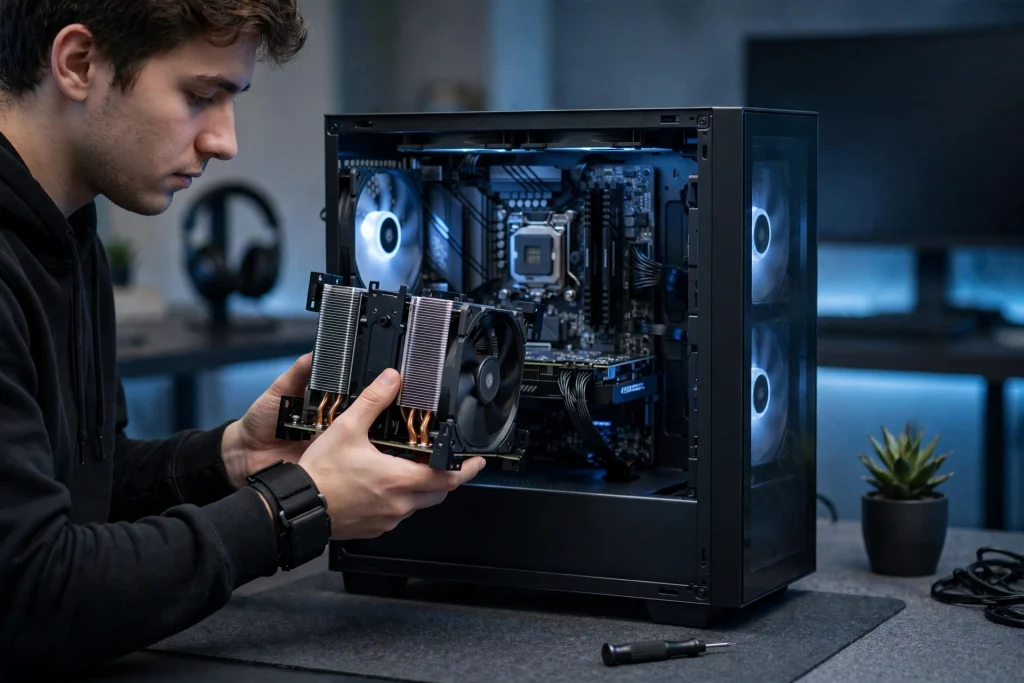
When Is It Necessary to Use Thermal Paste?
When installing any cooling system, the thermal transfer material is applied. We say “Thermal Paste” while talking about building a PC on our own, we mostly refer to the installation of a CPU cooler process. For example, when you buy a graphics card, the thermal solution will already be built-in. Unless you’re interested in aftermarket solutions like customized liquid cooling, you shouldn’t have to bother about placing a cooler on a GPU. With a CPU cooler, you can pick and choose whatever one you want, but you’ll almost always have to install it yourself.
Terms You Need to Know
It’s important to define some of the words we’ll be using in order to fully describe how thermal paste works.
The information processing center of a computer is thecentral processor unit (CPU). It performs all operating instructions and transmits them to the computer’s other components. If a computer is a body, the CPU is the brain. And it is essential to the operation of any computer. Modern CPUs do a large number of operations per second, which produces heat. A CPU must be adequately cooled in order to run at optimal efficiency, which is generally accomplished via specialized cooling systems. This is where the use of thermal paste comes into play.
Integrated Heat Spreader (IHS) –
The CPU’s “lid” is made of metal. This is a heat sink that is meant to transfer heat from the processor to a CPU cooler while also protecting the processor within. This is the exposed area of the CPU once it has been placed in a motherboard. And it is the surface that thermal paste is applied on.
CPU Cooler –
The component that regulates the temperature of yourCPU. CPU coolers typically employ air or liquid to dissipate the heat generated by the processor’s activity.
Base-Plate –
An air-metal cooler’s base that connects to the CPU’s IHS. This design allows heat to be transferred by convection to the heat sink’s fins. Where it may subsequently be redistributed via a fan.
Waterblock –
When employing an All-in-One (AIO) liquid cooler or a customized cooling loop, this is the device that connects to the IHS. It transports heat from the IHS to the heat transfer fluid, which subsequently moves the heat to a radiator where it is dispersed by fans.
Thermal Paste –
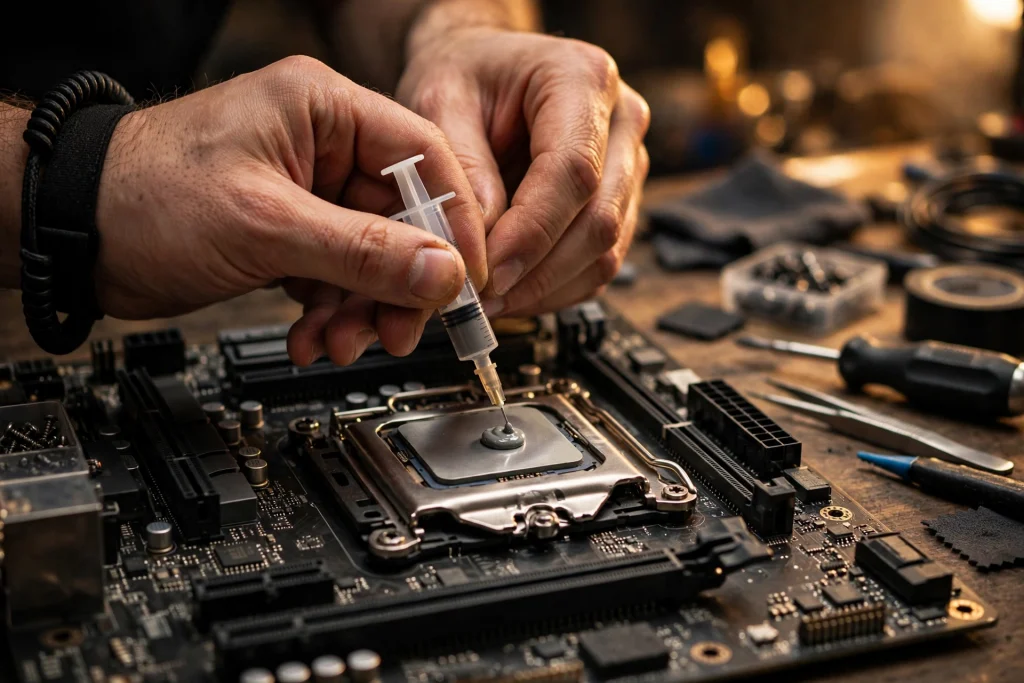
A silvery-gray material is applied to a CPU before a cooling solution is installed. It enables effective heat transmission from the processor’s IHS to the CPU cooler’s base plate or water block, which is intended to disperse that heat.
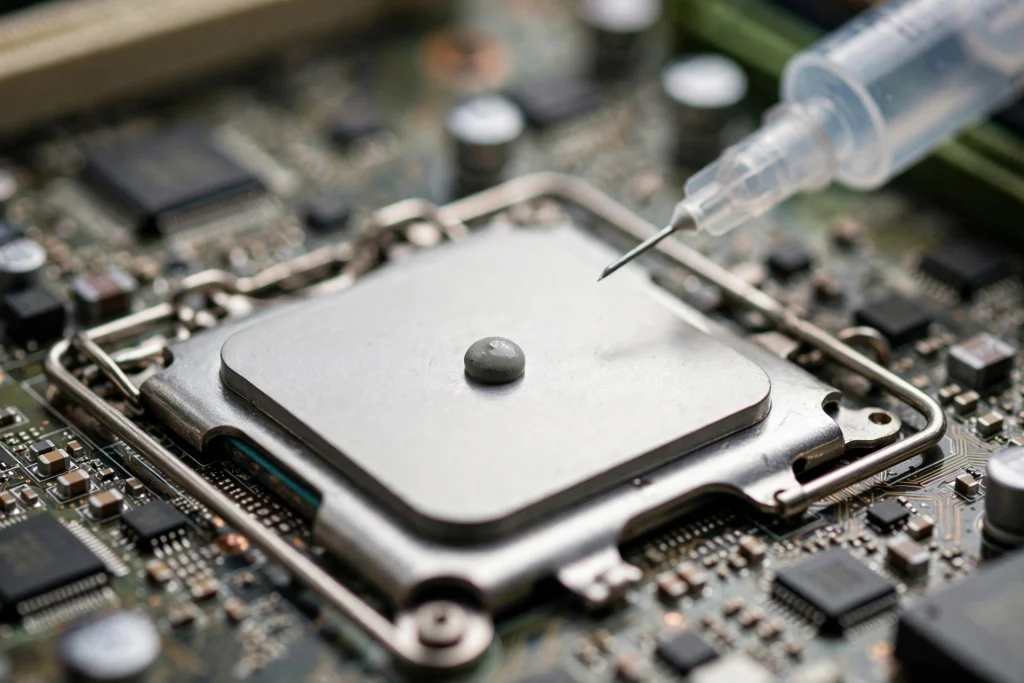
How to Apply Thermal Paste –
Before beginning the installation procedure. I recommend reading through this entire section so you know what to anticipate and can prepare ahead.
Steps
- Before you begin,be sure you have read all of the steps to make. This includes the thermal paste and CPU cooler’s instructions that came with your computer. Every brand of thermal paste and CPU cooler is a little different. And so learning about yours before you begin will make the procedure go more smoothly.
- Apply thermal paste to the CPU’s IHS center. (If your cooler does have thermal paste applied already.) Only a little amount — around the size of a grain of rice or pea has to be applied to the integrated heat spreader’s core.
- Install a CPU cooling system.Place the base plate or water block of your cooler on the CPU with light, top-down pressure. And keep that pressure while connecting the cooler to the mounting mechanism. You’ll want to use enough force to keep the cooler from slipping and to uniformly spread the thermal paste. But not so much that the motherboard bows or the CPU are damaged. Maintain the cooler’s position when attaching it to the motherboard in a diagonal manner. Fastening the screws as if drawing an “X” with them. To ensure constant pressure, do not fully tighten the screws until all four have been fastened, then spin each one a few times before going on to the next.
- Make sure you’ve double-checked your work. Once the CPU cooler’s base plate or water block is firmly mounted, double-check your work to ensure everything is in order. Thermal paste should not be leaking over the borders of the CPU or anyplace else on the motherboard. If there is, you applied too much paste and should wipe it off with alcohol before repeating the process and then start over. Congratulations if everything appears to be in order and the cooler doesn’t, move when you touch it.
Bottom Line:
Thermal Paste is not considered as important to be talked about as any other component of the computer i.e. CPU or GPU. But you should know that it is very important for keeping those parts functioning smoothly. If you knowHow to apply thermal paste perfectly, then you can get the most out of yourPC‘s CPU.
If you learned a new thing today, then please don’t forget to share this article with others. And If you have any questions or suggestions for us. Please feel free to write them in the comment section down below.
Thank you very much.