Does cable drag affect aim accuracy? (Tested & Explained)
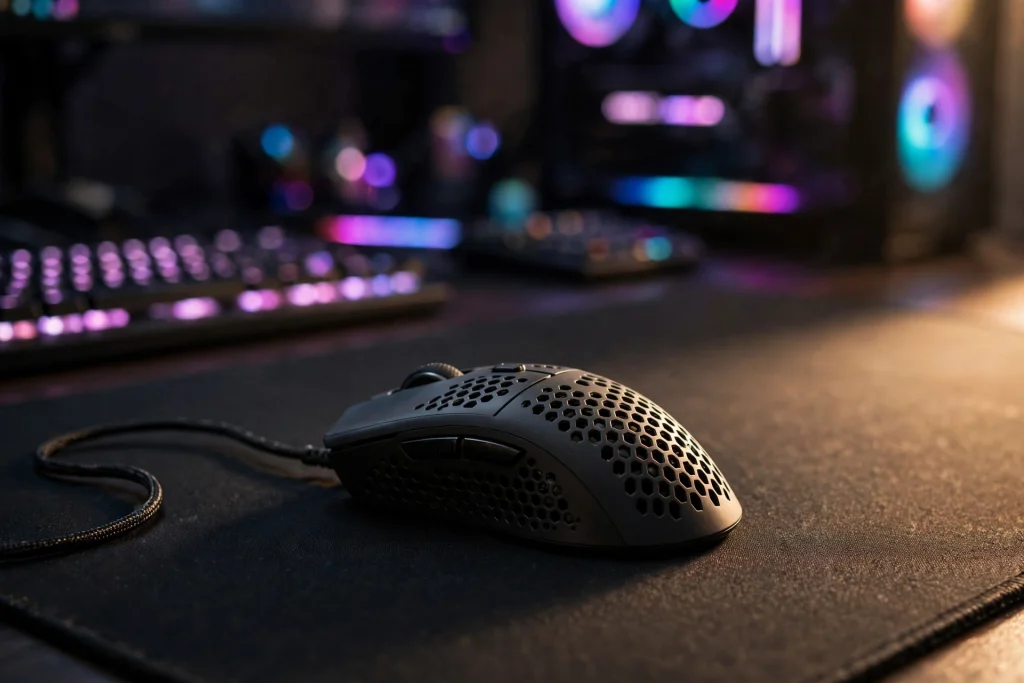
Yes, cable drag can affect aim accuracy. When a wired mouse cable rubs, catches, or pulls against your desk or pad, it adds uneven resistance to your movement. That resistance is small, but aiming is a small-movement skill. It shows up most on slow tracking, tiny corrections, and long swipes where the cable suddenly tugs or releases. The good news is that drag is easy to reduce, and you do not need to buy a wireless mouse to fix most of it.
Quick Answer: The Verdict in 2-3 Lines
Cable drag does not change your sensor, your DPI, or your game settings. It changes how your hand feels the mouse moving. If the pull is inconsistent, your aim becomes inconsistent too, especially when you are trying to stop exactly on a target or follow one smoothly.
For most players, fixing drag gives a cleaner, more predictable feel rather than a dramatic jump in skill. It removes a problem that was quietly fighting you.
The Evidence: Tests, Data and What They Actually Show
Players who test wired mice with and without cable support usually report the same pattern. Slow, controlled movements feel less steady when the cable is dragging, while fast flicks are less affected because momentum carries the mouse through the resistance. The problem is not constant friction, which your hand can learn. It is changing friction — the cable sticks, then slips, then catches on a desk edge.
That matches how aiming works. Most missed shots are not huge whiffs. They are small overshoots, undershoots, and shaky stops. A tiny tug can push a crosshair just past a head or stop it just short of one.
It also helps to put cable drag in context with the rest of your setup. Many beginners chase settings before fixing basics, and sensitivity is the biggest example. As a reference, Valorant pros average roughly 280 eDPI, while CS2 pros average roughly 800 eDPI — most beginners play far too high. If your sensitivity is extremely high, tiny hand movements already cause large crosshair jumps, and cable drag will feel even harder to control.
Polling rate is another piece players often misunderstand. The math is simple: 1000Hz reports every 1ms, while 8000Hz reports every 0.125ms. That sounds like a huge upgrade, but 8000Hz can raise CPU load in some titles, so it is not free. More importantly, polling rate cannot fix a physical problem. A mouse can report its position very often and still feel bad if the cable is pulling it off course. If you want to explore that trade-off, see does 8000hz polling rate cause cpu stuttering.
The honest conclusion: cable drag is a real, physical source of inconsistency, but its size depends on your desk, cable, pad, and sensitivity. It is worth fixing because the fixes are cheap and permanent.
Why It Works This Way: The Mechanism, Simply Explained
A mouse cable has weight, stiffness, and friction. When you move the mouse, you are not just moving the mouse — you are also dragging part of the cable with it. If the cable lies across the pad, it rubs as you move. If it hangs off the desk, its weight pulls downward. If it catches on a monitor stand, keyboard, or desk edge, it creates a sudden sideways force.
Your hand feels these changes well. During slow tracking, you apply gentle, steady force. Extra drag means you push harder, then the cable slips and the mouse jumps forward. During a flick, you apply stronger force, so drag matters less — until the cable snags and shortens your swipe.
Low sensitivity makes the effect more noticeable. Low-sensitivity players use bigger arm movements and longer swipes, so the cable travels further and has more chances to rub or catch. High-sensitivity players use smaller wrist movements, so the cable moves less.
Cable drag is also different from input lag. Drag is physical resistance you can feel before the sensor even reports movement. Lag is delay in the system after you move. They can feel similar because both make aim seem unresponsive, but they need different fixes. For the delay side of the picture, read does cable drag affect input lag and does click latency affect aim accuracy.
When It Matters — and When It Honestly Does Not
Cable drag matters most if you play tactical shooters or other games built on precise stops, pre-aim, and micro-corrections. It matters if you use low sensitivity, a large pad, and long swipes. It also matters if your cable is stiff, your desk is small, or your cable runs across rough surfaces and sharp edges.
It matters less if you already use a wireless mouse, a very flexible cable, or a good bungee setup that keeps the cable suspended. It also matters less in games where aim is forgiving, movement is mostly large and fast, or you play on a controller for most actions.
Use this simple comparison to judge your own setup:
| Setup | Typical drag feel | Effect on aim | Best next step |
|---|---|---|---|
| Wired, cable loose on desk | Uneven rub and occasional snags | Shaky tracking and inconsistent stops | Add a bungee or reroute the cable |
| Wired with a mouse bungee | Light, mostly consistent pull | Much smoother swipes and corrections | Adjust bungee height and cable slack |
| Wired with a flexible replacement cable | Very light drag, close to wireless feel | Small, predictable resistance | Keep cable path clear of edges |
| Wireless mouse | No cable drag | Cleanest movement, no tugging | Keep receiver close and battery charged |
The table uses typical, reported feel rather than lab numbers because drag depends on your desk. Your own test is simple: do slow tracking drills with the cable loose, then with it held off the pad. If the second run feels smoother, drag was affecting you.
How to Apply It: Exact Settings to Use
Start with free fixes. Clear the area behind your pad. Route the cable from directly in front of the mouse, with enough slack to reach every corner of your pad without stretching. Keep it off sharp edges.
Next, try a mouse bungee if you stay wired. Place it behind your pad, centered with your mouse. Leave enough cable to cover your full swipe range, but not so much that loose cable piles onto the pad. Raise the arm if the mouse still feels pulled downward.
Then check your sensitivity, because drag feels worse when your settings are already unstable. Work out your eDPI by multiplying mouse DPI by in-game sensitivity. Compare it with the pro reference points above: roughly 280 eDPI in Valorant and roughly 800 eDPI in CS2 are typical reported averages, not targets you must copy exactly. If yours is far higher, lower it gradually and keep your total eDPI the same when testing other changes, so you only change one thing at a time.
There is also a useful DPI trick from the brief facts: using higher DPI with lower in-game sensitivity reduces pixel skipping and lets the sensor register movement sooner, while keeping total eDPI the same. For example, doubling DPI and halving in-game sensitivity leaves your overall speed unchanged, but can give smoother registration. Test it for a few matches before judging it.
Finally, do not chase polling rate as a drag fix. If your mouse offers higher polling, 1000Hz remains a safe, proven default for most systems. Higher rates reduce the time between reports — down to 0.125ms at 8000Hz versus 1ms at 1000Hz — but they can raise CPU load in some games. Fix the physical cable first, because no setting can remove a tug you can feel in your hand.
FAQ
Is cable drag the same as mouse friction on the pad?
No. Pad friction comes from the mouse feet sliding on the surface and is usually consistent. Cable drag comes from the cable rubbing, hanging, or catching, and it changes during a swipe, which is why it is more distracting.
Do I need to buy a wireless mouse to fix cable drag?
No. A bungee, better cable routing, and enough slack fix most drag for wired players. Wireless removes cable drag completely, but it is an upgrade in convenience, not a requirement for accurate aim.
How can I test if cable drag affects my aim?
Load a practice range or aim trainer. Do slow tracking and small flicks with your cable loose, then repeat with the cable held off the pad or supported by a bungee. If stops feel steadier and tracking feels smoother, drag was part of the problem.
Conclusion
So, does cable drag affect aim accuracy? Yes — not by changing your sensor or settings, but by adding uneven physical resistance that makes small movements less predictable. It matters most for low-sensitivity players, long swipes, and precise tracking or stopping. The fixes are simple: clear the cable path, add slack, consider a bungee, and check that your eDPI is in a sensible range. Remove the tug, and your mouse will finally do exactly what your hand told it to do.