Does a 240Hz Monitor Give a Competitive Advantage, or Is It Placebo?
A 240Hz monitor is not a placebo — the advantage over a 60Hz screen is real and measurable. But the honest answer has a second half: most of that advantage comes from leaving 60Hz behind, not from the last step up. NVIDIA’s 2021 testing found large gains going from 60Hz to 240Hz, while NVIDIA’s own 2026 research found no statistically significant target-accuracy edge for 240Hz or 360Hz over 144Hz. So 240Hz helps, but if you already own a 144Hz monitor, the upgrade is smaller than marketing suggests — and it only works if your PC can actually sustain around 240 FPS.
What Refresh Rate Actually Changes
Refresh rate is how many times per second your monitor draws a new image. Every new frame is a fresher picture of the game, so a higher refresh rate means the information on your screen is more up to date and motion looks smoother.
The clearest way to see it is frame time — how long each frame stays on screen:
| Refresh rate | Frame time (approx.) | What it means |
|---|---|---|
| 60Hz | ~16.7ms | Each image is up to ~17ms old before the next arrives |
| 144Hz | ~6.9ms | Fresher frames, noticeably smoother motion than 60Hz |
| 240Hz | ~4.2ms | Another step fresher, but the gap is shrinking |
| 360Hz | ~2.8ms | Smallest step of all — the returns have flattened |
Notice the pattern: going from 60Hz to 144Hz cuts frame time by about 10ms. Going from 240Hz to 360Hz cuts it by only about 1.4ms. The first upgrades are huge; the later ones fight for crumbs. That maths explains almost everything the research below found.
The Case For 240Hz: The 2021 Evidence
NVIDIA’s 2021 testing compared player performance across refresh rates and found big improvements when moving from 60Hz up to 240Hz — reported K/D improvements in the region of 7–15% across the jump. That is a serious difference at the competitive level, and it matches what players feel: targets are easier to track, flicks land on fresher information, and the game simply looks clearer in motion.
If you are on a 60Hz monitor today, this evidence is aimed at you. Upgrading your display is one of the most proven performance purchases in gaming — far more reliable than most “pro” accessories. Our explainer on what is response time on a gaming monitor covers the other half of monitor performance.
The Case Against the Hype: The 2026 Evidence
Here is the part monitor ads leave out. NVIDIA’s 2026 research tested whether higher refresh rates keep improving target accuracy — and found no statistically significant edge for 240Hz or 360Hz over 144Hz. In plain English: once players reached 144Hz, pushing the refresh rate higher did not make them hit targets measurably better in the study.
That does not mean 240Hz feels identical to 144Hz — motion can still look a little smoother, and some players prefer it. It means the competitive advantage claim gets very weak past 144Hz. The honest summary is diminishing returns: the advantage is real at the bottom of the ladder and fades near the top.
The Catch Nobody Mentions: You Need the FPS to Match
A 240Hz monitor can only show 240 new frames per second if your PC produces them. If your game runs at 120 FPS, your expensive 240Hz panel is effectively a 120Hz experience with headroom you never use.
This matters most in demanding games. Esports titles are light enough that many PCs can sustain around 240 FPS in them, which is exactly where 240Hz makes sense. In heavy AAA games, even strong PCs often cannot hold 240 FPS, so the monitor’s advantage mostly disappears. Before buying, check the FPS your system actually holds in your main game — and if it falls short, best settings for high fps in competitive games will help you close the gap. RAM can be part of that picture too; see is 16gb of ram still enough for competitive gaming in 2026.
First, Check Your Monitor Is Actually Running at Its Full Refresh Rate
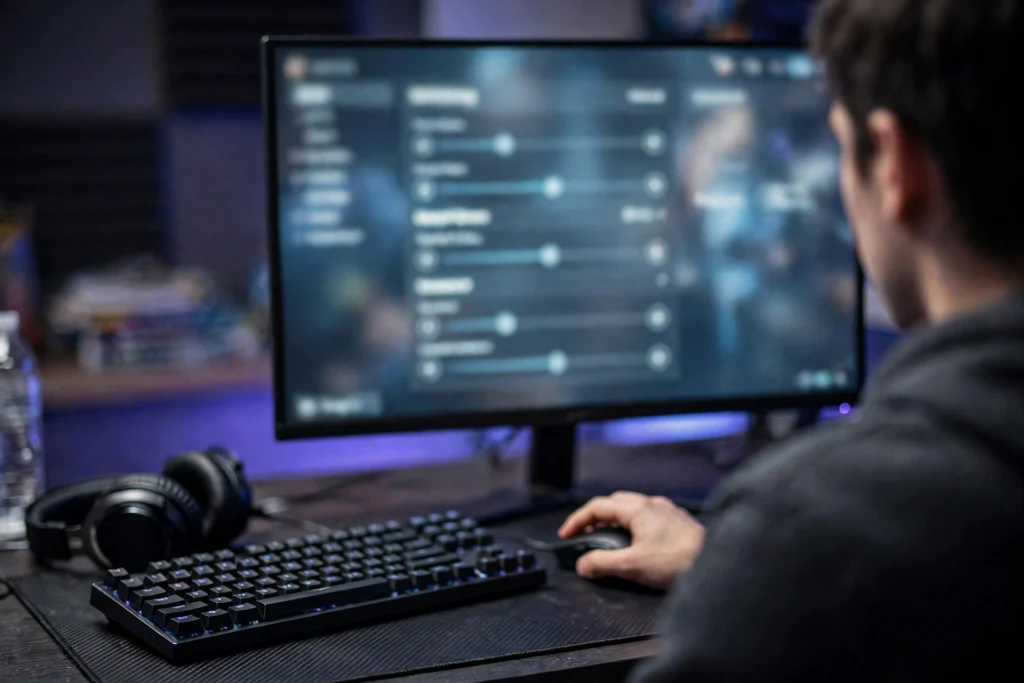
This sounds obvious, and it catches people constantly: a 240Hz monitor plugged in and used straight out of the box often runs at 60Hz until you change the setting yourself. Windows and some games default to a lower rate, and plenty of players have “used” a high-refresh monitor for months without ever seeing a high-refresh image.
Before judging any of the evidence above, open your display settings, confirm the panel is set to its maximum refresh rate, and check the in-game video settings too — some titles have their own refresh or FPS limit options. Every comparison in this article assumes the monitor is actually running at the number on its box. If yours was secretly at 60Hz, fixing the setting is the single biggest free upgrade in this entire guide.
So Who Should Buy 240Hz?
Buy 240Hz if you are upgrading from 60Hz (or building new) and you mainly play esports titles your PC can push to high frame rates. You get the full proven benefit in one purchase.
Think twice if you already own a good 144Hz monitor. Based on the 2026 evidence, the same money spent on a better mouse, or saved entirely, is likely to do as much for your results.
Skip 360Hz for now unless you compete at a very high level and simply want the smoothest motion available. The research shows no significant accuracy edge, so buy it for feel, not for wins.
FAQ
Is 240Hz a placebo?
No. The jump from 60Hz to high refresh rates is supported by testing, with reported K/D gains of roughly 7–15% from 60Hz to 240Hz in NVIDIA’s 2021 work. What is mostly hype is the idea that each further step keeps adding the same advantage.
Is 240Hz noticeably better than 144Hz?
Slightly smoother motion, yes. A measurable accuracy advantage, no — NVIDIA’s 2026 research found no statistically significant target-accuracy edge for 240Hz over 144Hz. Most players upgrading from 144Hz describe the difference as subtle.
Do I need 240 FPS to use a 240Hz monitor?
To get its full benefit, yes. The monitor can only display frames your PC renders. If your game runs below 240 FPS, you get partial benefit at best, which is why 240Hz pairs best with lightweight esports titles.
Conclusion
240Hz is real, not placebo — but it is a story of diminishing returns. The big, proven win is escaping 60Hz. Past 144Hz, the frame-time gains shrink and the latest research finds no significant accuracy advantage. Buy 240Hz as your big jump from 60Hz, feed it with a PC that sustains ~240 FPS, and you are getting everything the technology honestly offers. Just make sure the monitor is actually set to 240Hz once it is on your desk — the best panel in the world cannot help you at the wrong setting.