Can rapid trigger get you banned in tournaments? (Tested & Explained)
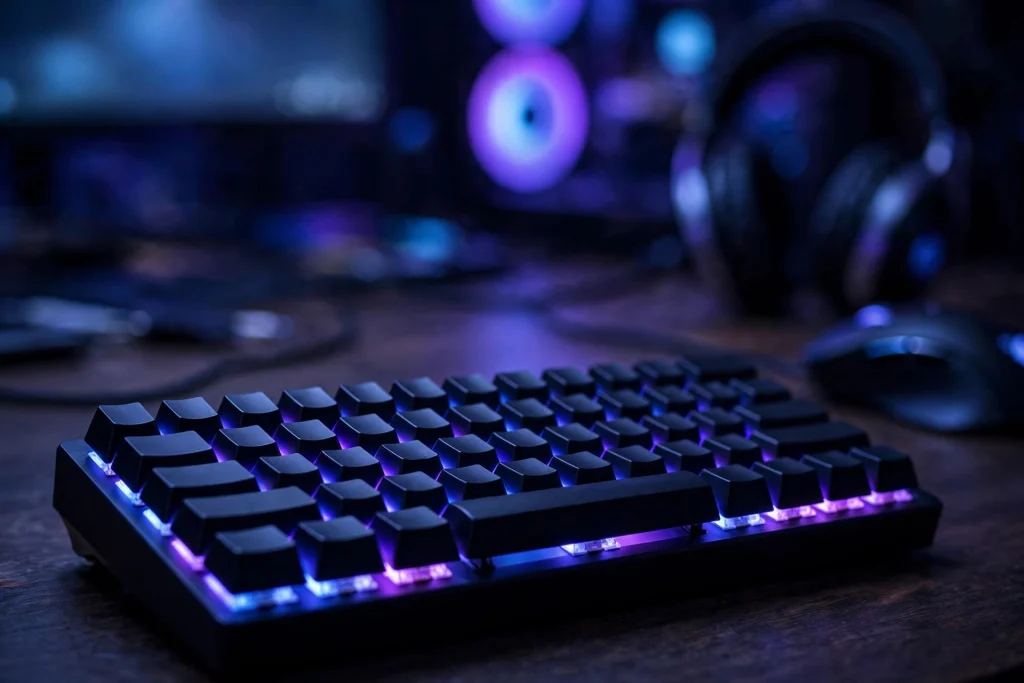
No, rapid trigger on its own will not normally get you banned in tournaments. It is a built-in Hall Effect keyboard feature, and most organisers treat it like choosing a faster switch. The real risk is what you combine it with: SOCD cleaning, Snap Tap-style features, and macros are treated very differently, and in some games they can get you kicked, disqualified, or banned.
A lot of fear online mixes those three things into one. They do different jobs and rules treat them differently. Keep them separate and you can use rapid trigger with confidence instead of guessing before a match.
Quick answer: the verdict in 2-3 lines
Rapid trigger alone: generally allowed. SOCD / Snap Tap-style last-input priority: risky and banned in some competitive environments. Macros: not allowed almost anywhere serious.
Safest tournament setup: rapid trigger on, every SOCD and Snap Tap-style feature off, and no macros at all. That covers most ranked ladders and LAN events.
The evidence: tests, data and what they actually show
On a normal keyboard, a key must travel back up past a fixed reset point before it can be pressed again. Rapid trigger resets the key as soon as it starts moving up, by a small distance you choose. That means faster stops, faster direction changes, and less wasted finger movement in games built on counter-strafing and quick peeks.
Nothing about that automates your input. You still press and release the key, and the game still receives one input at a time from your finger. That is why most rulebooks do not list rapid trigger as cheating. It is hardware tuning, similar in spirit to choosing lighter switches or a higher polling rate.
SOCD is different. SOCD stands for Simultaneous Opposing Cardinal Directions. It decides what happens when you hold two opposite keys at once, like A and D together. Some modes clean up or prioritise the last key pressed automatically. Snap Tap-style features do a similar job. Instead of your release deciding the outcome, the firmware decides for you. That automatic decision is what many developers object to, because it removes human error everyone else still has to manage.
Macros sit at the far end of the risk scale. A macro can fire a sequence from a single press, repeat inputs, or time actions for you. That is automation, not tuning, and it is banned in almost every competitive rule set.
Valorant shows why wording matters. Riot’s rules are broader than a list of banned features: hardware that gives an unfair advantage can be punished. So you cannot assume a feature is safe just because it is sold on a gaming keyboard. The conservative reading most guides recommend for Valorant is rapid trigger on, all SOCD/Snap Tap-style features off, and no macros.
Other games follow a broadly similar pattern, but check the rulebook for any event you enter. Ladders and LANs can add their own hardware rules. A five-minute check is cheaper than a dispute at the admin desk.
To understand the underlying technology, see are magnetic hall effect switches better than traditional mechanical.
| Feature | What it does | Typical tournament risk |
|---|---|---|
| Rapid trigger | Resets a key as soon as it moves up by your chosen distance | Low — generally allowed |
| Adjustable actuation | Choose how far a key travels to register | Low — generally allowed |
| SOCD cleaning | Decides outcome when opposite keys are held together | High — banned in some events |
| Snap Tap-style priority | Automatically prioritises last opposing key | High — treat as SOCD |
| Macros | Automates a sequence from one press | Very high — banned almost everywhere |
Why it works this way: the mechanism, simply explained
A normal switch has fixed on and off positions. You push it down to turn it on, and it must come most of the way back up before you can push it again. That gap is dead time, where your finger moves but the game hears nothing new.
A Hall Effect switch uses a magnet and sensor to measure exactly where the key is in its travel. Because the keyboard always knows the position, you can choose both the actuation point, where a press registers, and the reset point, where a release registers.
Set a rapid trigger reset of, say, 0.3mm, and as soon as the key rises by that amount it is ready again. You do not wait for it to return to the top, so the dead zone almost disappears.
Crucially, the keyboard is not deciding anything for you. It is not choosing a direction or cleaning up overlapping inputs. It is simply reporting your finger’s movement sooner. That distinction — reporting faster versus deciding for you — is the line most rules are really drawing.
When it matters — and when it honestly does not
Rapid trigger matters most where stopping fast and changing direction decide gunfights. Tactical shooters are the obvious example: the sooner your movement key releases and re-registers, the sooner you are accurate again. It also helps in fast movement and rhythm games, and any title with repeated rapid taps.
It matters much less in slower games. In strategy, turn-based, story, or relaxed MMO play, the edge is small because those games do not ask for split-second opposing inputs. Comfort and sound matter more there — which is why do keycaps affect typing sound and feel often matters more day to day than a 0.1mm setting.
It also does not fix technique. It makes good counter-strafing faster, but it does not create it. If you release keys late or peek without a plan, the keyboard cannot save those rounds. And if settings are so extreme they cause errors, they hurt you: a board that fires when you rest your fingers on it loses more rounds than a slightly slower, reliable setup. Consistency is the real advantage.
How to apply it: exact settings to use
Start conservative, then tune down slowly. Most guides recommend the same safe starting range because it gives most of the benefit with little risk of accidental inputs.
| Setting | Conservative start | How to tune it |
|---|---|---|
| WASD actuation | 0.7-1.0mm | Lower by 0.1mm only if no accidental presses appear |
| Rapid trigger reset | 0.2-0.5mm | Lower by 0.1mm only if movement still feels delayed |
| Other keys | Slightly higher than WASD | Keep forgiving to avoid accidental abilities |
| SOCD / Snap Tap-style | Off | Leave off for ranked and tournaments |
| Macros | None | Do not use in competitive play |
Set WASD actuation to 0.7-1.0mm and rapid trigger reset to 0.2-0.5mm, then play a few full sessions, not five minutes in a practice range. If you had no accidental inputs, lower one setting by 0.1mm and test again. Change one thing at a time so you know what caused any problem.
Do not jump straight to 0.1mm actuation. 0.1mm actuation is not automatically best — resting-finger pressure and key wobble cause accidental presses, and one accidental jump or ability costs far more than the tiny speed gain saves. Consistency beats the smallest number.
Before a tournament, read the rulebook for hardware and SOCD wording, save a clean profile with rapid trigger on, SOCD off, and no macros, and store settings on the keyboard itself where possible. For pre-event maintenance, see can you lube switches without desoldering.
FAQ
Is rapid trigger considered cheating?
In most games and tournaments, no. It reports your own finger movement faster; it does not automate a decision or action. SOCD, Snap Tap-style features, and macros are treated much more strictly because they do automate part of the input.
Can I use rapid trigger in Valorant ranked?
Use the safest setup: rapid trigger on, all SOCD and Snap Tap-style features off, and no macros. Riot’s rules are broader — hardware that gives an unfair advantage can be punished — so avoid grey areas, and follow any newer Riot or event guidance over a general guide.
What settings should a beginner start with?
Start with WASD actuation around 0.7-1.0mm and rapid trigger reset around 0.2-0.5mm. Play several sessions, and only lower by 0.1mm at a time if you get no accidental inputs. Avoid 0.1mm actuation at first.
Conclusion
Rapid trigger itself is not what gets players banned. It is a fast, honest way of reporting what your fingers already did. Bans come from the features around it — SOCD, Snap Tap-style priority, and macros — and from ignoring a game’s broader fairness rules.
Use the safe setup: rapid trigger on, SOCD off, no macros, conservative tested settings, and a quick rulebook check before any event. Tune in 0.1mm steps and prioritise consistency over the smallest number. Then you can focus on the match, not your keyboard.