Do back paddles give an advantage in fps games? (Tested & Explained)
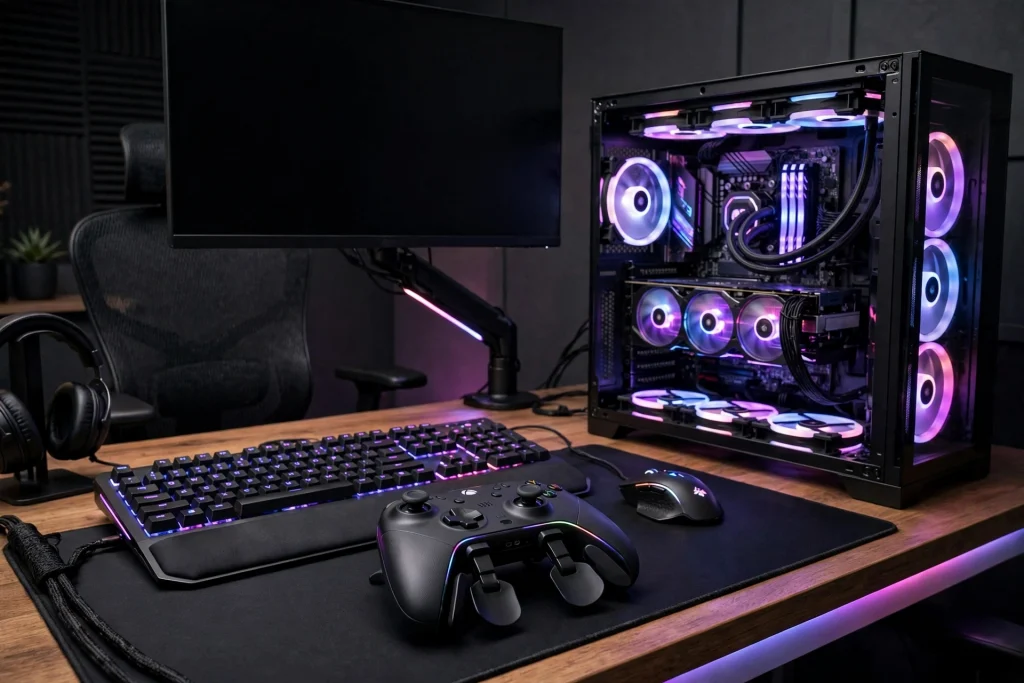
Yes. Back paddles give a real, measurable-style advantage in FPS games, and the reason is simple: they let you jump, slide, crouch, reload, and swap weapons without ever taking your right thumb off the aim stick. On a standard controller, every face-button press means your thumb leaves the stick, and for that split second you cannot adjust your aim at all. Paddles move those buttons to your middle and ring fingers on the back of the controller, so your thumbs stay planted where they belong. It is not magic, and it will not fix bad aim, but for movement-heavy shooters it is one of the few hardware upgrades that genuinely changes what your hands can do at the same time.
Quick answer: the verdict in 2–3 lines
Back paddles help because they remove the biggest mechanical limit of a normal controller: one thumb doing two jobs. If you play fast, movement-focused FPS games, paddles are a clear advantage once you learn them. If you play slow, tactical games where you rarely jump or slide mid-fight, the advantage is small and the money may be better spent elsewhere.
Expect an adjustment period. Most players report the first week feels clumsy, with accidental presses and confused fingers. After that, the mappings become automatic and the benefit shows up in fights you would previously have lost simply because your aim froze while you jumped.
The evidence: tests, data and what they actually show
There is no single official study that hands paddles a clean score, so the honest way to judge them is to look at what changes mechanically, and at how latency — the other half of controller performance — behaves in controlled testing.
First, the mechanical test anyone can repeat: on a standard layout, press jump and try to track a moving target at the same time. You cannot, because the same thumb presses jump and moves the right stick. With jump on a paddle, tracking continues through the jump. That is not an opinion; it is a physical limitation of the default layout, and paddles remove it. The same logic applies to slide-cancelling, crouch-spamming in a gunfight, and reloading while keeping your crosshair on a corner.
Second, consider input delay, because paddles only help if the rest of your setup is responsive. Latency testing with LDAT-style measurements shows how much the software side matters. In reported NVIDIA Reflex measurements (Fortnite performance mode, RTX 4070), system latency typically lands around 22–30ms with Reflex off, drops to roughly 14–20ms with Reflex On, and falls further to about 10–15ms with On+Boost. Reflex On costs roughly 2% FPS, and On+Boost roughly 4%, in exchange for that latency cut. The lesson for paddle users: hardware tricks and software settings stack. Paddles fix what your fingers can do; low-latency settings fix how fast the game responds.
| Setting / setup | Typical reported result | Cost |
|---|---|---|
| Reflex Off | ~22–30ms system latency | None |
| Reflex On | ~14–20ms system latency | ~2% FPS |
| Reflex On+Boost | ~10–15ms system latency | ~4% FPS |
| Back paddles (any game) | Aim stays active while jumping/sliding | Learning curve of about a week |
Third, watch what competitive players actually do. In movement-heavy shooters, high-level controller players overwhelmingly use paddles or a claw grip — claw being the awkward workaround that bends the index finger onto the face buttons. Paddles exist precisely because claw works but hurts. When the best players in a game all solve the same problem the same way, that is meaningful evidence.
Why it works this way: the mechanism, simply explained
A standard controller gives you two thumbs for three jobs: move, aim, and press the face buttons. Two of those jobs — aiming and button pressing — share the right thumb, so they can never happen at the exact same moment. Every jump, slide, or weapon swap creates a short window where your aim is frozen.
Your middle and ring fingers, meanwhile, do nothing but grip the controller. Back paddles simply hand the face-button jobs to those idle fingers. Now each job has its own finger: left thumb moves, right thumb aims, and your back fingers jump, slide, crouch, or reload. Nothing about the game changes; your inputs just stop competing with each other.
This is also why paddles pair so well with low-latency settings. Reflex works by keeping the render queue just-in-time, so frames are drawn as late as possible instead of waiting in line. It helps most when the GPU is the bottleneck and barely matters when the game is CPU-bound. A responsive pipeline plus uninterrupted aim means the shot you take is both faster and still on target. On+Boost goes a step further by keeping GPU clocks high instead of letting them drop in light scenes, which improves 1% lows at the cost of more power and heat.
For more ways small hardware and setting choices stack up, see do trigger stops help in shooters and does a wired controller have less lag than wireless.
When it matters — and when it honestly does not
Paddles matter most in games where movement and aiming happen together: battle royales, arena shooters, and any FPS where jumping, sliding, or drop-shotting mid-fight is part of the skill gap. If fights are won by whoever keeps their crosshair tracking while moving unpredictably, paddles directly feed that skill.
They matter for:
- Jump and slide plays while tracking a target
- Crouch-spamming or drop-shotting in close fights
- Reloading and swapping weapons without losing your aim point
- Long sessions, where paddles are far kinder to your hands than claw grip
They honestly do not matter much when:
- You play slow, tactical shooters where fights are mostly pre-aimed angles
- You play on mouse and keyboard already, where every action already has its own finger
- You are brand new and still learning basic aiming — fundamentals come first
- The game locks inputs during movement anyway, so simultaneous actions gain nothing
There is also a rules question worth clearing up: back paddles are standard, widely accepted equipment in competitive controller play. They are remapped buttons, not macros or automation, so they do not press anything for you — your finger still does every input.
How to apply it: exact settings to use
Start with two paddles, not four. Too many new inputs at once is the main reason players give up in week one.
Beginner mapping (week 1–2):
- Left paddle: jump
- Right paddle: crouch/slide
Jump and crouch are the two actions that most often clash with aiming, so they give the fastest payoff.
Full mapping (once the first two feel automatic):
- Add reload/interact and weapon swap to the remaining paddles
- Keep melee on a stick click if your game allows it, since it is already under your thumb
Training routine:
- Spend 10–15 minutes in a practice range just jumping and sliding while tracking a fixed target.
- Play a few low-stakes matches and force yourself never to use the face buttons for the mapped actions.
- If you fat-finger a paddle often, check your grip — most accidental presses come from squeezing the controller too hard during fights.
Pair it with these settings:
- Turn on NVIDIA Reflex if your game and GPU support it — On for the best balance, On+Boost if you want the lowest latency and accept the small FPS cost and extra heat.
- If you are comparing other ways to gain an edge, our breakdown of does 4:3 stretched resolution actually give an advantage in cs2 covers the display side of the same question.
- Keep your controller firmware updated, and if your controller offers a choice, test both wired and wireless to see which feels more consistent on your setup.
Give the setup at least a week of real play before judging it. Almost every player is worse on day two and better by day seven.
FAQ
Are back paddles cheating in FPS games?
No. Paddles only relocate buttons your controller already has; every action still needs your own finger press. They are allowed in mainstream competitive play and sold by first-party brands.
How long does it take to get used to back paddles?
Typically about a week of regular play. The first few days feel slower because your brain still reaches for the face buttons, then the new mappings take over and the old layout starts to feel limiting.
Are four paddles better than two?
For most players, no. Two paddles covering jump and crouch/slide capture most of the benefit. Four help in games with many simultaneous actions, but they add learning time and accidental presses.
Conclusion
Do back paddles give an advantage in FPS games? Yes — a practical one rooted in simple mechanics: your thumbs never leave the sticks, so your aim never pauses. The benefit is biggest in fast, movement-heavy shooters and smallest in slow tactical ones. Map jump and crouch first, give it a week, and pair the paddles with sensible latency settings. It will not replace practice, but it removes a limit that practice alone cannot fix.