Does eq change footstep direction accuracy? (Tested & Explained)
Yes — EQ can change footstep direction accuracy, but not in the way most players expect. A gentle boost where footstep cues live can make steps easier to hear and locate. A big, harsh boost can do the opposite: steps sound louder, yet harder to place left, right, front, or behind. EQ changes volume in frequency bands, not the direction information itself, so it helps only when it makes the useful cues clearer without drowning out everything else.
Quick answer: the verdict in 2-3 lines
EQ does not create direction. Your game, your headset, and your ears do that. EQ only turns parts of the sound up or down.
Used lightly, it improves direction accuracy because you notice the step sooner and with less effort. Used heavily, especially with a large boost in the upper mids and highs, it smears the balance between cues, adds fatigue, and makes close sounds feel equally loud in every direction. The sweet spot is small, not extreme.
The evidence: tests, data and what they actually show
When players test EQ for footsteps, a consistent pattern shows up in reported comparisons. With flat EQ, footsteps are accurate but sometimes too quiet under gunfire, callouts, and ability sounds. With a modest lift in the upper-mid and high frequencies, where footstep cues live mostly, steps cut through the mix better. Players report picking out the direction sooner, especially for steps on hard surfaces and at medium distance.
Push that lift too far and the reports change. Steps are no longer hard to hear — they are hard to judge. Everything sharp starts to sound close and urgent. The difference between a step slightly to your left and a step directly ahead feels smaller, because the boosted band is dominating what you hear. Add other processing on top and the problem grows.
That is also why surround processing matters here. Virtual 7.1 surround is software processing on a stereo signal — it widens the sound but can smear imaging. Most pros play stereo with good HRTF settings, because clean stereo imaging is usually easier to trust than a wider but blurrier image. If your direction already feels vague, adding both heavy EQ and virtual surround makes it harder to tell which change helped and which hurt. This question is covered in more depth in does 7.1 virtual surround sound help or hurt in fps games.
There is no magic preset that wins in every game. Games mix footsteps differently, maps use different surfaces, and headsets do not all boost or cut the same frequencies by default. A preset copied from a video can feel great for one player and terrible for another whose headset was already bright.
Test honestly by changing one thing at a time: same map, same mode, same volume. Try flat EQ for a few rounds, then a small lift. If you call direction earlier with fewer mistakes, keep it. If steps are only louder, you have not improved accuracy.
Why it works this way: the mechanism, simply explained
Your brain locates a sound using several clues working together: how loud it is in each ear, the tiny time difference between ears, and how the shape of your ear changes the sound depending on where it comes from. Those natural clues are most useful when the sound is clean and balanced.
Footstep cues live mostly in the upper-mid and high frequencies. The scuff, click, and crunch of a step carry a lot of information in that range, while the low thump carries less direction information. So raising that band a little brings the informative part of the step forward. You are not adding new information — you are making the existing information easier to use.
Over-boosting hurts direction accuracy for the opposite reason. If one band is far louder than the rest, your brain leans too hard on it. Quiet details that help separate front from back get buried. Harsh peaks also cause listening fatigue, and tired ears judge distance and direction worse as a session goes on.
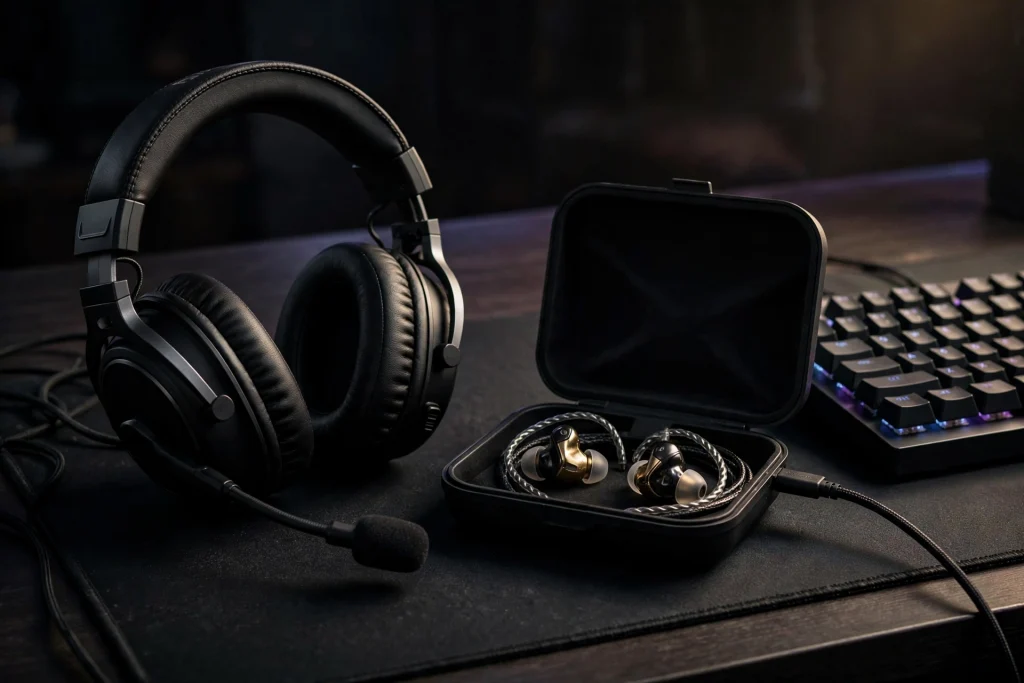
Fit matters just as much as settings. Why pros wear IEMs under headsets is a good reminder of this: the IEM gives a sealed, consistent fit and real isolation; the headset over it plays white noise / game audio mix and carries the mic — it is a noise-control system, not a fashion choice. In other words, the best players obsess over consistency and isolation, not just EQ sliders. If one ear seals better than the other, or outside noise leaks in, your direction will suffer no matter what preset you load. Related to that, see does noise cancelling help focus in fps games.
When it matters — and when it honestly does not
EQ for footsteps matters most in tactical FPS games where a single step can give away a flank, a retake, or a push through a doorway. It matters when your headset is naturally dark or muddy, when footsteps sit under a busy mix, and when you play in a noisy room. In those cases, a small lift plus a clean fit can make a real, practical difference.
It matters much less in loud, chaotic games where explosions dominate, or if your headset already sounds bright — more boost will only add harshness.
EQ also cannot fix bigger problems: bad positioning, a headset worn unevenly, mono audio accidentally enabled, or virtual surround smearing your imaging. Treat it as fine-tuning, not a cheat code. That distinction also comes up with other audio tools, as explained in does loudness equalization give an unfair advantage.
| Situation | What EQ can do | Better first fix if it fails |
|---|---|---|
| Steps too quiet under gunfire | Raise upper mids/highs slightly so cues cut through | Lower game music and effects volume |
| Steps loud but direction feels vague | Cut the boost back; check for virtual surround smearing | Switch to stereo with good HRTF settings |
| Steps clear in quiet, lost in fights | Small lift plus consistent, sealed fit | Improve isolation and reduce room noise |
| Headset already very bright | Flat or a tiny cut in the harsh band | Do not stack another footstep preset |
| Front vs back confusion | Keep EQ gentle so natural cues stay balanced | Check HRTF setting and headset fit |
How to apply it: exact settings to use
Start flat. Set every band to zero, turn off extra effects, and play at a comfortable volume. Loud is not the same as clear.
Then make one small change: raise the upper-mid and high bands — the footstep region — by a small amount, typically just a few decibels as a starting range, and leave the bass flat or slightly reduced if your headset sounds boomy. Small is the key word. If your EQ software shows a graph, you want a gentle shelf rising toward the top, not a sharp spike.
Now test it properly:
- Load a familiar map where you know the common flank routes.
- Play a few rounds and note how often you called direction correctly, not just how loud steps felt.
- If direction feels clearer, stop. Do not keep boosting because more sounds better in the menu.
- If everything sounds harsh, thin, or fatiguing, cut the boost in half.
- If front and back still blur together, remove virtual surround and test again in stereo before touching EQ further.
Save two profiles: a flat or near-flat one for music and casual games, and a light footstep profile for tactical FPS. Re-check after changing headsets, ear tips, or pads, because fit changes the sound more than most players realise.
Keep your volume consistent, too. Constantly turning it up for steps and down for fights destroys your sense of distance. Find one safe level and leave it there.
FAQ
Can EQ make footsteps louder without hurting direction?
Yes, up to a point. A small lift in the upper-mid and high frequencies makes step cues easier to hear while keeping the balance your brain uses for direction. Once the boost gets large, steps stay loud but direction gets harder to judge.
Should I copy a pro player’s EQ preset?
Use it only as a starting point, not a guarantee. Pros also rely on consistent fit and isolation, and their headset and game settings differ from yours. Test the preset against flat EQ on the same map and keep it only if your direction calls actually improve.
Is EQ better than virtual surround for footsteps?
They do different jobs. EQ changes how loud parts of the sound are; virtual surround is processing that widens a stereo signal and can smear imaging. For direction accuracy, clean stereo with good HRTF and a light EQ lift is the safer starting point for most players.
Conclusion
So, does EQ change footstep direction accuracy? Yes — lightly, and only in your favour when you keep it gentle. Boost the band where footstep cues live, keep the rest balanced, test against flat EQ, and fix fit and surround settings before chasing bigger sliders. Clear and balanced beats loud and sharp, every time.