Do pros use rapid trigger in apex legends? (Tested & Explained)
Quick Answer: Yes, Rapid Trigger Is Standard at the Top Level
Yes. Rapid Trigger is widely used by high-level Apex Legends players on keyboard, and it has become close to standard equipment for competitive movement players. The short version of why: Apex is a movement game, and Rapid Trigger makes repeated key presses and direction changes feel faster and more consistent. It does not automate anything or press keys on your behalf. It simply lets each key reset the instant you start releasing it, instead of waiting for the key to travel back up past a fixed reset point.
That distinction matters. Rapid Trigger is a per-key reset feature, and players treat it very differently from input-automation features that combine or override opposing keys. Most serious Apex players who have tried a Rapid Trigger board keep the feature on. The rest of this article explains the evidence, the mechanism, and the settings worth copying.
The Evidence: What Tests and Setups Actually Show
The strongest evidence is not a single test. It is the pattern you see in what competitive players actually use, and in what comparisons of the feature consistently show.
First, the hardware trend. Hall Effect keyboards with Rapid Trigger have moved from a niche enthusiast product to the default recommendation for competitive FPS play. Both Hall Effect and analog optical switches support Rapid Trigger, which tells you something important: the feature itself, the per-key reset behaviour, matters more than the sensing technology label on the box. If you are weighing these technologies against a normal board, start here: are magnetic hall effect switches better than traditional mechanical.
Second, look at what the feature measurably changes. On a traditional mechanical switch, a key has a fixed actuation point on the way down and a fixed reset point on the way up, with a dead zone between them where the key is neither fully off nor ready to fire again. Rapid Trigger removes that fixed reset point: the key resets as soon as it starts moving upward. Repeated taps register sooner, and tests of the feature typically report the benefit as small per press but very repeatable, which is exactly what competitive players care about: not one dramatic moment, but thousands of slightly cleaner inputs per match.
Third, look at other shooters. The pattern in tactical FPS is similar, covered in depth here: do pros use rapid trigger in cs2. Players adopt the reset feature broadly, while treating opposing-input automation as a separate, much riskier category.
| Feature | What it actually does | How players treat it |
|---|---|---|
| Rapid Trigger | Resets one key the moment it starts to release | Widely used, generally accepted |
| Snap Tap / SOCD | Prioritises or cleans up two opposing keys automatically | Risky, banned in some games |
| Macros | Plays back a recorded sequence of inputs | Not accepted in competitive play |
How Rapid Trigger Works: The Mechanism, Simply Explained
A normal mechanical switch is basically a light switch with a spring. Press it down past a set point and the circuit closes. Release it, and nothing happens until the key rises back past a second set point; only then can the next press register. That gap is small, but it is fixed by the physical design of the switch.
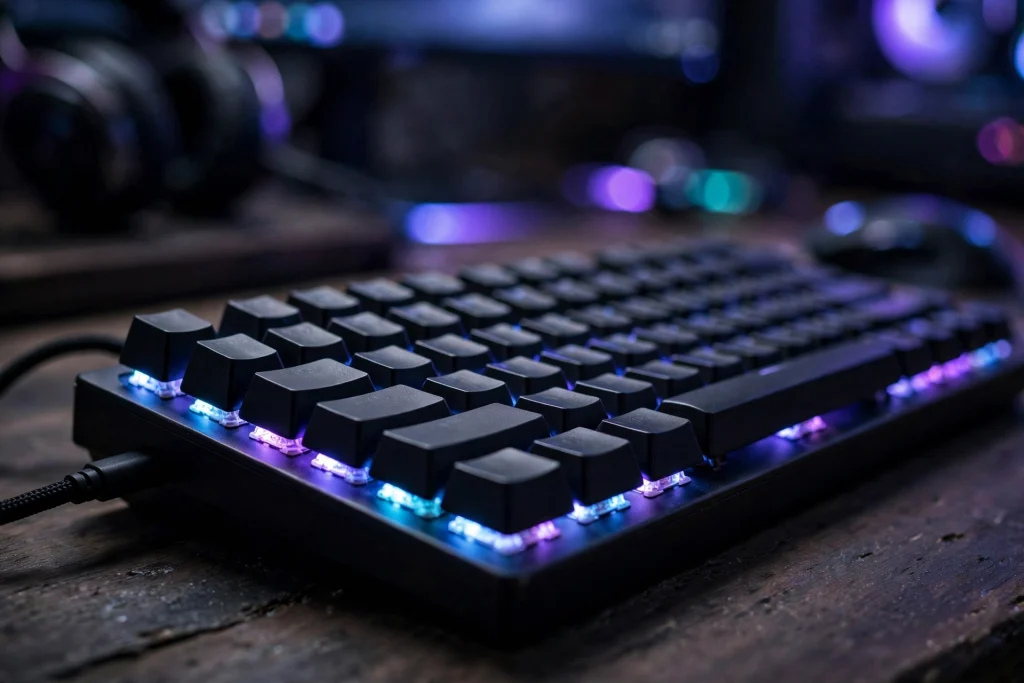
A Hall Effect switch works differently. Instead of two metal contacts meeting, a magnet in the stem moves toward a sensor on the board, and the sensor continuously measures how far the key has travelled. Analog optical switches do a similar job by measuring light. Because the board always knows the exact position of every key, the firmware can decide where actuation and reset happen, on every single press.
Rapid Trigger uses that information in a simple way. The moment the firmware sees the key moving upward, even slightly, it registers a release; the moment it sees the key moving down again, it registers a new press. Your reset distance becomes a setting rather than a physical limit, and most players set it very short. That is why the feature depends on position-sensing switches: a traditional switch has no way to report that the key has started rising.
When It Matters in Apex, and When It Honestly Does Not
Apex Legends rewards fast, repeated, precise movement inputs. Direction changes while sliding, repeated crouch inputs, quick corrections during a fight, and any technique built on tapping movement keys in rapid succession all involve exactly the kind of press-release-press cycle Rapid Trigger improves. If your playstyle leans on movement tech and close-range fights with constant direction changes, the cleaner resets are noticeable. This is the group that adopted the feature first and defends it most strongly.
There are also honest limits. Rapid Trigger will not fix your aim, positioning, or decision-making, and it does nothing for inputs you hold down rather than tap. If you mostly play a slower, anchor-style game, the difference will feel subtle at best. It cannot help controller players either, since the feature belongs to position-sensing keyboards. Expect an adjustment period too: keys that reset this eagerly can feel twitchy at first, and accidental double inputs are common until your fingers adapt.
In short, Rapid Trigger is a real but narrow advantage: it makes repeated key actuation measurably cleaner. Whether it is worth money depends on how much of your game is built on that. For a newer shooter’s take, compare with do pros use rapid trigger in deadlock.
Is It Legal? The Rule Check
Here is the verified picture as of 2026. Rapid Trigger itself is legal in CS2, because it only changes one key’s activation and reset behaviour. What Valve banned on its official servers, in the input-automation update of August 19, 2024, is Snap Tap and SOCD-style opposing-input features, and players using those can get kicked. The line the rules draw is between a key responding faster and software deciding between two keys for you.
Valorant is stricter in tone: Riot’s rules are broader, and hardware that gives an unfair advantage can be punished. The safe approach there is Rapid Trigger on, all SOCD and Snap Tap style features off, and no macros. For Apex, the practical takeaway is the same conservative setup: use the per-key reset, skip anything that automates or overrides opposing inputs, and you are on the right side of the line every major rule set draws.
How to Apply It: Exact Settings to Use
If you have a Rapid Trigger capable board, here is a sensible starting configuration, based on typical ranges reported by competitive players. Adjust in small steps from there.
| Setting | Recommended starting point | Why |
|---|---|---|
| Rapid Trigger | On, for movement keys first | Biggest benefit on W, A, S, D and crouch |
| Reset / sensitivity distance | Short, roughly the lowest stable setting offered | Faster re-presses without accidental releases |
| Actuation point | Low to mid range | Balances speed against accidental presses |
| SOCD / Snap Tap features | Off | Keeps you clear of input-automation rules |
| Macros | Off, always | Never worth the risk in competitive play |
Start by enabling Rapid Trigger on your movement keys only, and play a few sessions before touching anything else. If you get accidental double inputs, or keys releasing when you did not intend them to, lengthen the reset distance slightly rather than turning the feature off. Once movement feels natural, extend the feature to other frequently tapped keys. Change one setting at a time, in small steps, and give each change at least a full session before judging it.
FAQ
Does Rapid Trigger actually make a difference in Apex Legends?
Yes, a small and repeatable one. It shortens each key’s reset, so repeated taps and fast direction changes register with less wasted key travel. It helps movement-heavy play most and does nothing for held inputs or aim.
Can you get banned for using Rapid Trigger?
Rapid Trigger alone is a per-key reset feature and is legal in CS2. What gets players kicked or punished is Snap Tap and SOCD-style opposing-input automation, banned on Valve official servers since August 19, 2024. Riot’s Valorant rules are broader, so the safe setup everywhere is Rapid Trigger on, opposing-input features off, no macros.
Do I need a Hall Effect keyboard for Rapid Trigger?
You need a position-sensing board. Hall Effect and analog optical switches both support Rapid Trigger, because both continuously measure key travel. Traditional mechanical switches cannot report key position, so they cannot offer it.
Conclusion
So, do pros use Rapid Trigger in Apex Legends? Yes, widely, and for a clear reason: Apex is built on rapid, repeated movement inputs, and per-key reset makes those inputs cleaner on every press. The feature is not automation, it sits on the accepted side of the rules major games enforce, and the hardware that supports it is now mainstream. If you play movement-heavy Apex on keyboard, it is one of the few upgrades that does exactly what it promises. Keep the setup conservative: Rapid Trigger on, opposing-input tricks off, and settings tuned in small steps until they disappear under your fingers.